In a blog post Microsoft has detailed the new features of the Windows Map app which have been teased recently.
The list of new features include:
Multiple search functionality
Multiple search functionality lets you view several searches on a single map view at the same time.
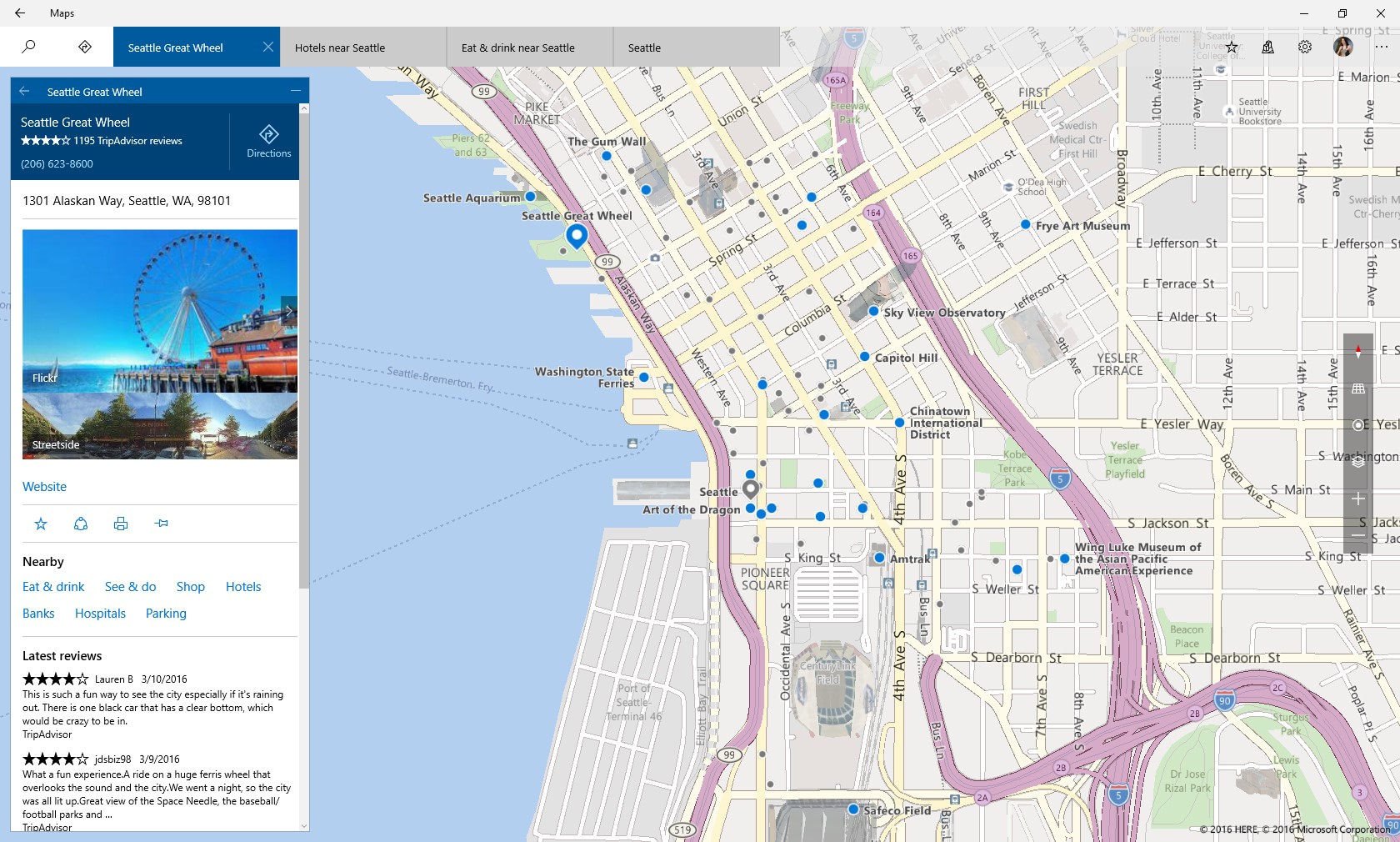
As an example, now you can see search results for Hotels and search results for Restaurants in the same area easily – plaing a trip or a night out in the town and sharing with family and friends just got a lot easier. You can also view multiple searches and directions at the same time layered on top of each other or use tabs to switch between views.
User Interface Improvements
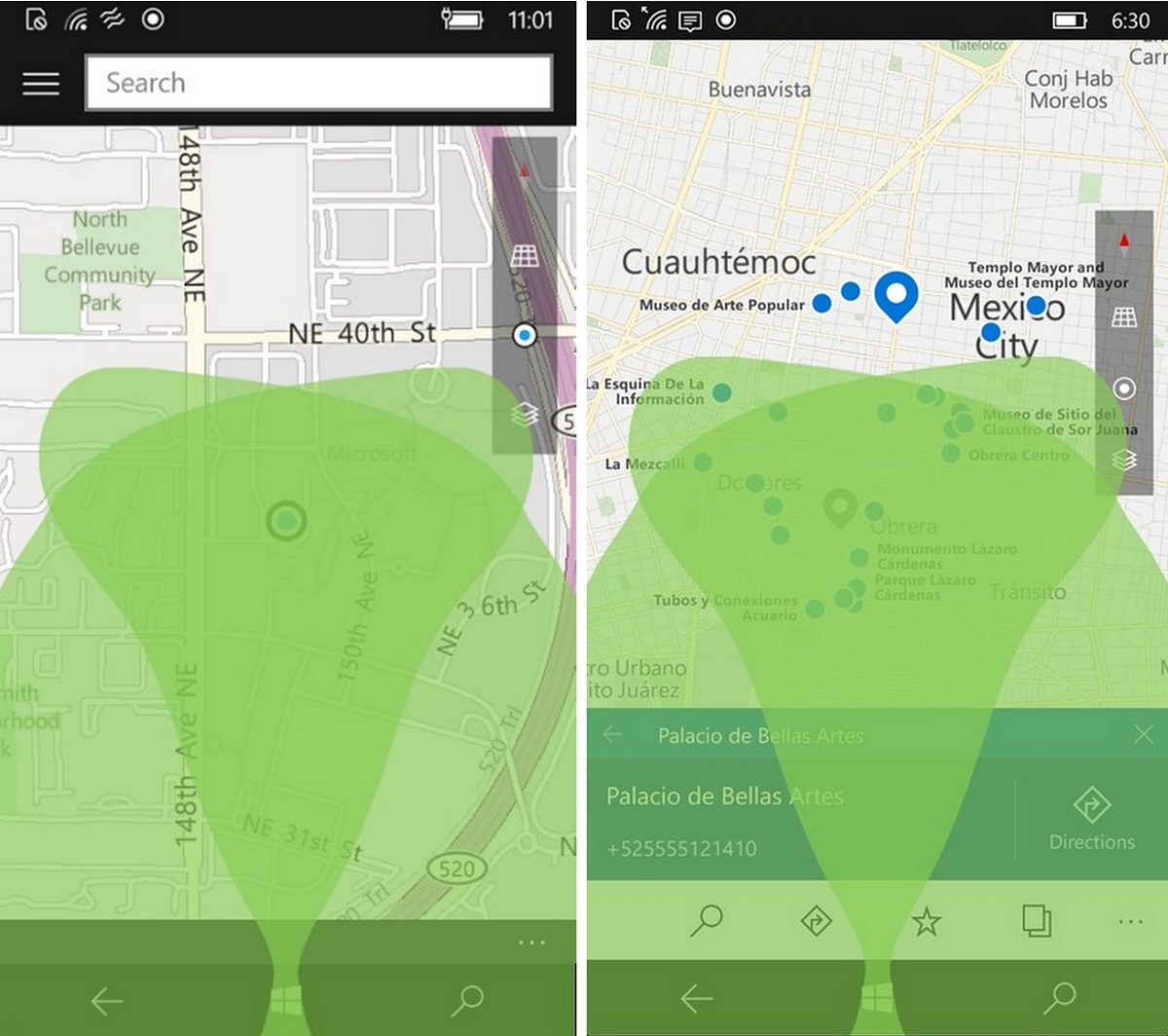
Many menu locations have been enhanced to improve wayfinding and usability, for instance navigation is now positioned at the top on desktop (instead of the side) and at the bottom on phone (instead of the top) as a direct result of how people use the Maps app differently on different types of devices. For the phone, this directly improves the experience when using your device with one hand, especially when getting directions or opening your favorites with a single tap.
Labels
Microsoft added labels for your search results directly on the map instead of referencing numbers on the search list. You can now see the name of each place directly on the map.
Improved Nearby search results
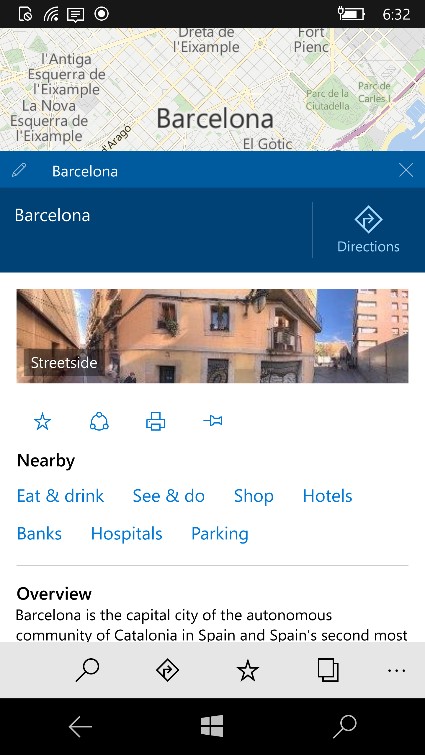
For those markets that offer nearby search results, Microsoft made improvements to their algorithms that result in closer and better search results.
Better screen usage
You can now minimize search results, directions, and location info to enjoy more of the map, while keeping them in easy reach.
Search added to 3D cities
Microsoft added search to 3D cities so users no longer have to scroll to find the city they are looking for.
Improvements to favourites
Your favorites are now available offline so you can truly enjoy your offline maps and take advantage of all the places you have saved. You can also add notes to your favorites to keep track of things you want to remember about that place.
Tu by tu directions in Cortana’s voice.
When Cortana is enabled, you will receive tu-by-tu directions in Cortana’s voice, currently supported for English (United States), English (United Kingdom), Simplified Chinese (China), French (France), Italian (Italy), German (Germany) and Spanish (Spain).
Improved transit directions
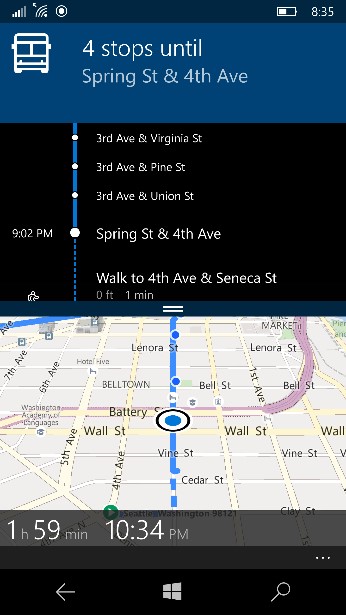
Microsoft made it easier for you to follow your public transit route and know when it’s time to get off the bus with updated tu-by-tu instructions.
Improved UI of tu-by-tu directions

Microsoft made improvements to the UI of tu-by-tu instructions to improve glanceability and the layout in landscape mode.
Microsoft also made architectural improvements that enable faster iovation and enhanced performance to the app.
Insiders can find the improved Windows Maps app in the store here.
Developer: Microsoft Corporation
Price: Free
برچسب:
نویسنده: محمد رضا جوادیان
تاريخ: جمعه
28 اسفند
1394 ساعت: 6:24